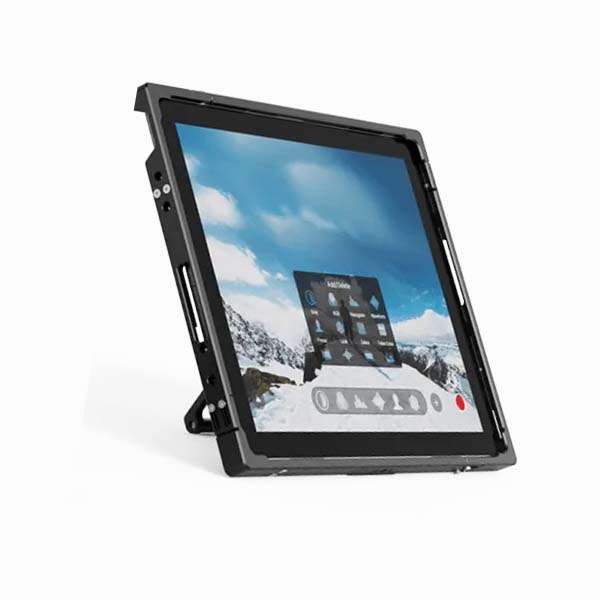
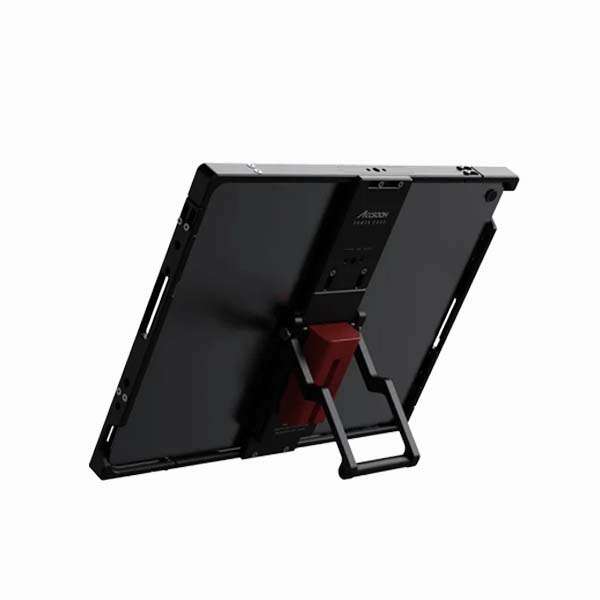
The 10-inch iPad Air 4 in an Accsoon protective production case is a compact multi-purpose control station for film and video production. Instead of using the iPad simply as a tablet, this setup is configured as an on-set tool for playback, camera remote control, monitoring, gimbal operation, teleprompter control and lighting management.
The package is particularly useful for productions where one compact device needs to handle several different jobs throughout the shooting day. The iPad can be used by a director for playback, by a camera operator for remote camera control, by a gaffer for lighting control, or by an assistant for teleprompter and production-monitoring duties.
The Accsoon hard case gives the iPad a more production-oriented physical setup, protecting the tablet while providing a practical solution for using it around cameras, lighting equipment and other on-set systems. Accsoon designed its iPad cages specifically for production environments, with mounting options intended for tripods, stands, clamps and camera rigs.
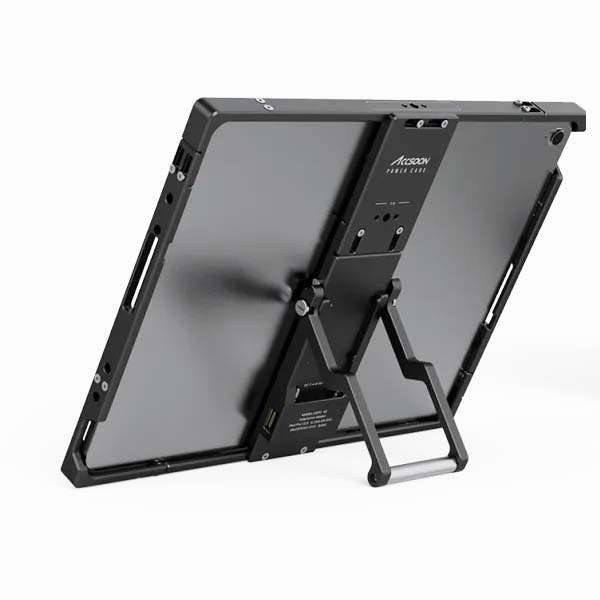
Accsoon Director-Style iPad Setup
A normal consumer iPad is not particularly convenient to use on a film set. It is easy to damage, difficult to mount and not designed around the accessories and working conditions found in professional production.
The Accsoon housing changes that. The protected iPad can be integrated into a camera or production setup and used as a dedicated control surface rather than simply being carried around like a personal tablet.
This makes the system useful for directors, DPs, camera assistants, gaffers, focus pullers, DITs and production teams.
The iPad can be moved from one task to another during the same shooting day without requiring a separate dedicated device for every application.
Playback and Director Monitoring
One of the simplest and most useful applications for the iPad is playback.
A director or client can use the large 10-inch display to review footage, check takes, compare shots and monitor production material without having to work from a small phone screen.
It can be used as a convenient playback device between takes, particularly on smaller productions where a dedicated DIT cart or large production monitor would be excessive.
For location shoots, the compact size is an advantage. The iPad can be carried between rooms, locations and departments while remaining large enough for practical review.
It is also useful for clients and producers who need to review material without standing directly behind the camera operator.
DJI Ronin Remote Control
The iPad can be used with compatible DJI Ronin applications and systems for remote control and configuration of supported DJI gimbals.
This makes the tablet useful when the gimbal is mounted on a vehicle, jib, remote head, crane or another position where direct access to the gimbal controls is inconvenient.
A larger touchscreen also makes it easier to work with gimbal settings compared with a small smartphone display.
For production teams working with DJI RS and Ronin systems, the iPad can therefore become part of the camera-movement control workflow rather than simply being used for viewing.
Freefly MOVI Control
The iPad also provides a control interface for compatible Freefly MOVI systems.
This is particularly useful when the MOVI is being used as part of a remote or stabilized camera setup and the operator needs access to configuration and control functions from a larger display.
For productions using both DJI and Freefly stabilization systems, having one dedicated iPad available gives the camera department a common touchscreen control device rather than relying on multiple phones.
Sony Monitor & Control
For compatible Sony cameras, the Sony Monitor & Control application turns the iPad into a larger wireless or wired monitoring and camera-control interface.
Sony’s current Monitor & Control ecosystem supports compatible cameras including models such as the FX3, FX6, FX30 and Sony A7-series cameras, depending on camera firmware and the particular features being used.
The application provides monitoring together with functions such as exposure adjustment and focus control on a larger screen.
This is particularly useful with Sony cinema and mirrorless cameras where the operator or director needs to see a larger image while maintaining remote access to camera functions.
For example, the iPad can be positioned beside a director or DOP rather than requiring them to stand directly behind the camera.
GoPro Remote Control
The iPad can also be used with compatible GoPro applications for controlling and managing GoPro cameras.
This becomes particularly useful when GoPro cameras are positioned in difficult or inaccessible locations. Instead of physically approaching the camera to change settings or start recording, the operator can use the tablet where supported.
For action-camera setups, vehicle work, behind-the-scenes cameras and multi-camera productions, this can make the iPad a useful central control device.
Teleprompter Control
The iPad can also be configured for teleprompter applications, making it suitable for interviews, corporate films, presentations, commercials and scripted dialogue.
The 10-inch display provides enough screen area for comfortable prompting while remaining compact enough to fit into a portable teleprompter system.
This is particularly useful for corporate and commercial production where the same iPad may be used for camera monitoring before the interview and then moved into the teleprompter setup when filming begins.
The result is a practical multi-purpose production device rather than another single-function piece of equipment.
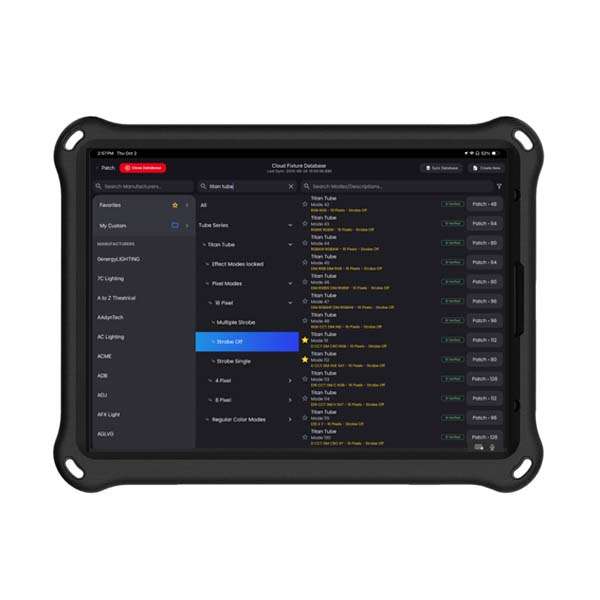
Sidus Link Lighting Control
The iPad can run Sidus Link for controlling compatible Aputure and other supported lighting fixtures within the Sidus ecosystem.
Sidus Link provides control of lighting parameters including CCT, intensity, colour, gels and lighting effects, as well as presets and scene management.
For a gaffer or cinematographer working with Aputure fixtures, having the iPad available as a larger control surface makes it much easier to manage several lights from one position.
Instead of walking between fixtures during every lighting adjustment, the operator can make changes directly from the iPad while watching the camera image.
For more advanced DMX and CRMX workflows, the appropriate compatible lighting-control hardware is still required. The iPad provides the software control interface; it does not independently generate a universal CRMX signal for every fixture.
DeSal Lite / Lighting Control
The iPad is also configured with DeSal lighting-control software for compatible lighting workflows.
This gives the lighting department another control option when working with supported fixtures and control hardware.
Having multiple lighting applications available on the same production tablet is useful when a lighting package contains equipment from different manufacturers or when a production needs to move between different control systems during the day.
The iPad therefore functions as a flexible lighting-control interface rather than being locked into a single manufacturer’s ecosystem.
One Tablet, Multiple Production Departments
The main reason to rent this setup is flexibility.
A production does not always need a separate monitor, playback computer, camera-control tablet, lighting controller and teleprompter screen. For smaller crews, travel productions and location shoots, carrying all of these devices quickly becomes inefficient.
A properly configured iPad can cover several of these functions.
In the morning it can be used by the camera department for Sony Monitor & Control. During a lighting setup, the gaffer can use Sidus Link. During the shoot, the director can use it for playback. For an interview, it can become the teleprompter display. Later, it can be used for DJI Ronin or Freefly MOVI control.
The hardware stays the same; only the application changes.
Useful for Bangkok Film Production
For international crews shooting in Bangkok and throughout Thailand, this type of compact production-control package is particularly practical.
Location productions often involve moving between hotels, offices, studios, streets, restaurants and remote locations. Bringing a complete control system for every department is not always practical.
A single ruggedized iPad can travel with the production and provide several different control functions depending on what is required on the day.
It is particularly useful for commercial productions, corporate films, interviews, documentaries, music videos, events and small crews working with compact cinema-camera packages.
A Practical Tool for the Gaffer and Camera Department
For the camera department, the iPad provides access to compatible camera-monitoring and remote-control applications.
For the lighting department, it provides access to Sidus Link and compatible lighting-control software.
For the director and producer, it provides a larger screen for playback and monitoring.
For talent-facing setups, it can become a teleprompter display.
That combination makes this rental package useful precisely because it is not tied to one specific job.
The iPad Air 4 is small enough to travel with a camera package but large enough to remain practical when used as a monitor or control surface.
Rental in Bangkok and Thailand
The 10-inch iPad Air 4 with Accsoon production hard case is available from Film Service Thailand as a multi-purpose production-control device for professional film and video crews.
It is particularly useful for productions using Sony cameras, DJI Ronin systems, Freefly MOVI, GoPro cameras, Aputure lighting, compatible DeSal lighting systems and teleprompter setups.
For international filmmakers coming to Thailand, it can be rented as part of a complete local camera, lighting and production package.